Connected vending · Remote operations · European business guide
Smart Pizza Vending Machines for Modern Businesses
A smart pizza vending machine combines automated hot-food service with connected payments, remote monitoring, inventory visibility, temperature alerts and cloud-based management. This guide explains which capabilities matter, what operators should verify and how to choose a system that can support one location or a wider European rollout.
- Cashless and mobile payments
- Remote sales and stock visibility
- Temperature and fault alerts
- Fresh and Frozen workflows
- Single-machine and fleet planning
- No guaranteed sales or payback claims
Direct answer
What Makes a Pizza Vending Machine “Smart”?
A touchscreen alone does not make a pizza vending machine smart. The useful definition is operational: the machine can collect reliable data, communicate with approved services, notify authorised users and support decisions without requiring a visit for every routine check.
A genuinely connected system may combine unattended payments, remote sales reporting, inventory estimates, temperature monitoring, machine-status alerts, menu or price management, digital-content updates and controlled user access. The exact functions depend on the selected machine, payment terminal, telemetry package and software agreement.
The connected operating stack
Five Layers Behind a Smart Pizza Vending Operation
A successful connected machine is not one piece of software. It is a chain of customer, payment, machine, network and operator systems that must work together.
Customer interface
Menu, language, prices, allergen information, order status and collection instructions.
Payment layer
Terminal, acquiring, local currency, transaction approval, refunds and settlement reporting.
Machine control
Storage, dispensing, baking, sensors, safety logic and fault codes for the selected workflow.
Connectivity
SIM, mobile network, Wi-Fi or Ethernet, including what happens during weak or lost connectivity.
Operator dashboard
Sales, stock, temperature, alerts, remote settings, users, reports and service history.
A practical maturity model
Four Levels of Smart Vending Capability
Not every project needs the most complex platform. Define the minimum useful capability for the way the business will actually operate.
Connected Checkout
Suitable when the first priority is reliable unattended payment and transaction visibility.
- Card and contactless terminal
- Local transaction currency
- Basic transaction reporting
- Merchant settlement records
Operational Visibility
Adds the information needed to plan stock, react to faults and protect food operations.
- Inventory or low-stock alerts
- Machine online/offline status
- Temperature monitoring
- Fault and service notifications
Remote Management
Useful for operators who need controlled changes without visiting the machine for every update.
- Remote price or menu changes
- Digital media updates
- Selected remote diagnostics
- Configurable alert thresholds
Fleet Operations
Designed for several locations, teams and recurring operational decisions.
- Role-based user access
- Fleet-level reporting
- Location comparisons
- Data export and service history
Capabilities that create operational value
Eight Smart Features Modern Businesses Should Evaluate
Feature names vary between suppliers. Compare the actual workflow, data, permissions, fees and support process rather than accepting a generic “IoT enabled” description.
Cashless and Local Payments
Customers should be able to use payment methods suited to the delivery country, subject to terminal, acquirer and merchant-account approval.
Verify cards, contactless, mobile wallets, QR, refunds, settlement currency, transaction charges and offline behaviour.Remote Inventory Visibility
Stock information helps operators plan replenishment and investigate sold-out conditions before travelling to the site.
Confirm whether inventory is sensor-measured, recipe-calculated, manually adjusted or inferred from transactions.Temperature Monitoring and Alerts
Connected temperature records can support operational oversight when interpreted within the operator’s documented food-safety process.
Ask which compartments are monitored, how often readings are recorded and what the machine does after an abnormal event.Machine Status and Fault Alerts
Useful alerts distinguish a payment issue, connectivity outage, storage problem, sold-out condition and mechanical fault.
Confirm alert channels, escalation rules, diagnostic detail, acknowledgement records and who is responsible for responding.Remote Menus, Prices and Media
Some systems allow authorised users to change prices, product availability, languages or promotional content remotely.
Verify approval controls, change history, rollback options and whether software or content subscriptions apply.Sales Analytics and Data Export
Reliable reports help compare products, service periods and locations without presenting the dashboard as a substitute for accounting.
Ask who owns the data, how long it is retained and whether records can be exported if the service agreement ends.Multi-Site Fleet Management
Operators with several machines need user roles, location grouping, shared menus, standard alert rules and service records.
Confirm whether the platform separates owner, operations, restocking, technician and finance access.Security and Software Support
A connected machine should have an accountable update and access-management process, not only a permanent internet connection.
Ask about unique credentials, multi-factor authentication, encryption, logs, vulnerability reporting and the software support period.Do not compare screens alone
Basic Automation vs Connected Smart Operation
Both machines may bake and dispense pizza automatically. The difference is how much operating information and controlled management capability is available away from the site.
| Operating area | Basic automated machine | Connected smart configuration | Buyer question |
|---|---|---|---|
| Payments | Local terminal or cash system | Cashless terminal linked to transaction reporting and management tools | Who provides acquiring, refunds and settlement support? |
| Stock | Checked during site visits | Remote stock estimate, sales depletion and low-stock alerts | How is the stock figure calculated and corrected? |
| Temperature | Local display or manual record | Remote readings, thresholds and alerts where supported | Which zones are monitored and what is the fail-safe response? |
| Faults | Discovered by a visitor or customer | Machine-status notifications and selected diagnostic codes | Which faults trigger alerts and who receives them? |
| Menu and prices | Updated at the machine | Remote changes with permissions and logs where included | Can changes be approved, audited and reversed? |
| Reporting | Basic cash or sales totals | Product, time, payment and location reports | Can data be exported in a usable format? |
| Fleet management | Each machine managed separately | Shared dashboard, roles, location groups and service history | How does access work across teams and territories? |
| Software support | Unclear or ad hoc | Defined accounts, updates, subscriptions and support process | What happens when the software or connectivity contract ends? |
Smart is the management layer
Fresh and Frozen Pizza Machines Can Both Be Smart
“Smart” describes connected operation. “Fresh” and “Frozen” describe the food workflow. Choose the food format first, then specify the connected functions required to operate it well.
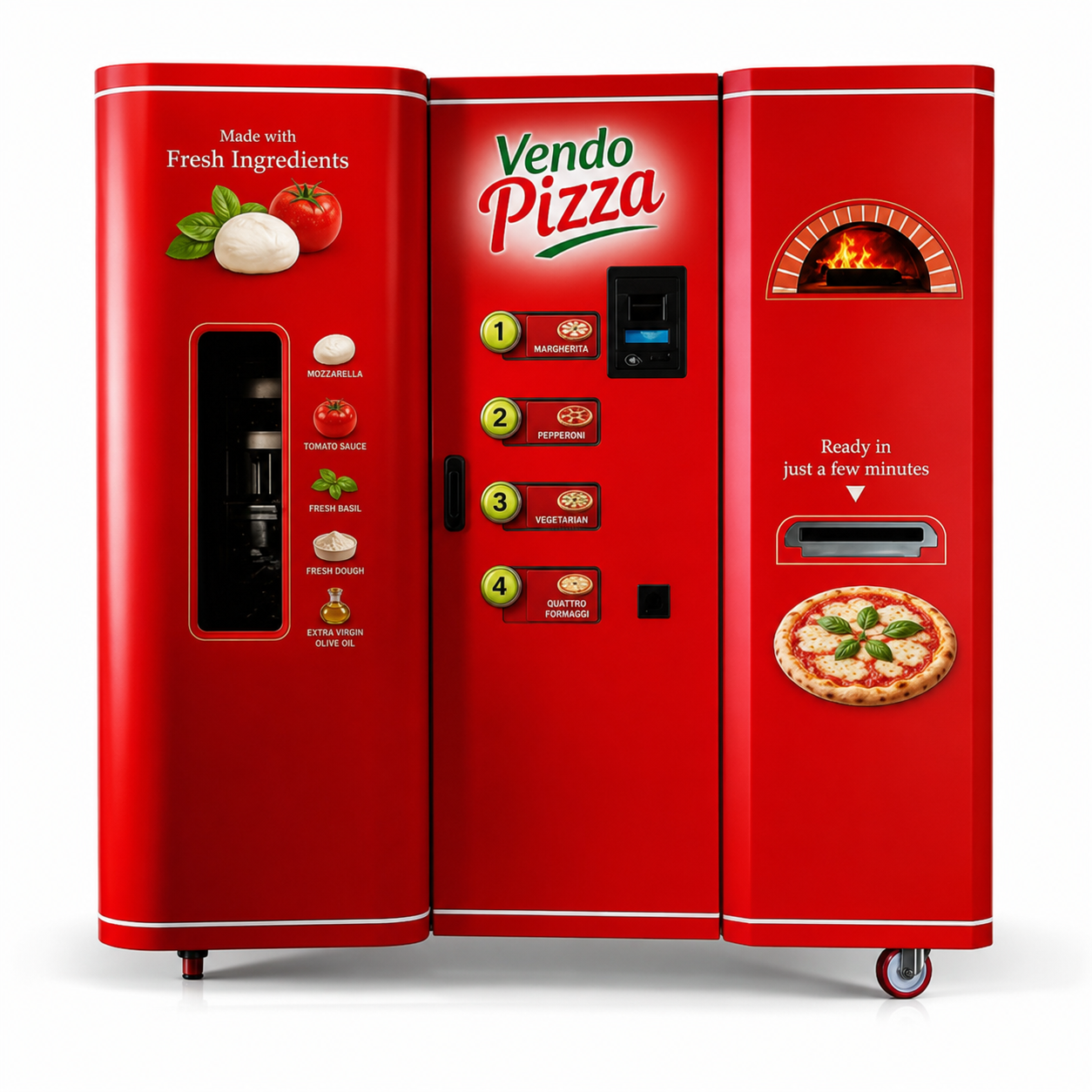
Connected Oversight for a Fresh-Food Workflow
Fresh operations can involve ingredients, recipe settings, refrigeration, replenishment, cleaning and more detailed operator routines. Smart functions should support those responsibilities without pretending to replace them.
- Ingredient and packaging stock visibility where supported
- Temperature and machine-status alerts
- Remote sales and menu reporting
- Documented cleaning and replenishment remain essential
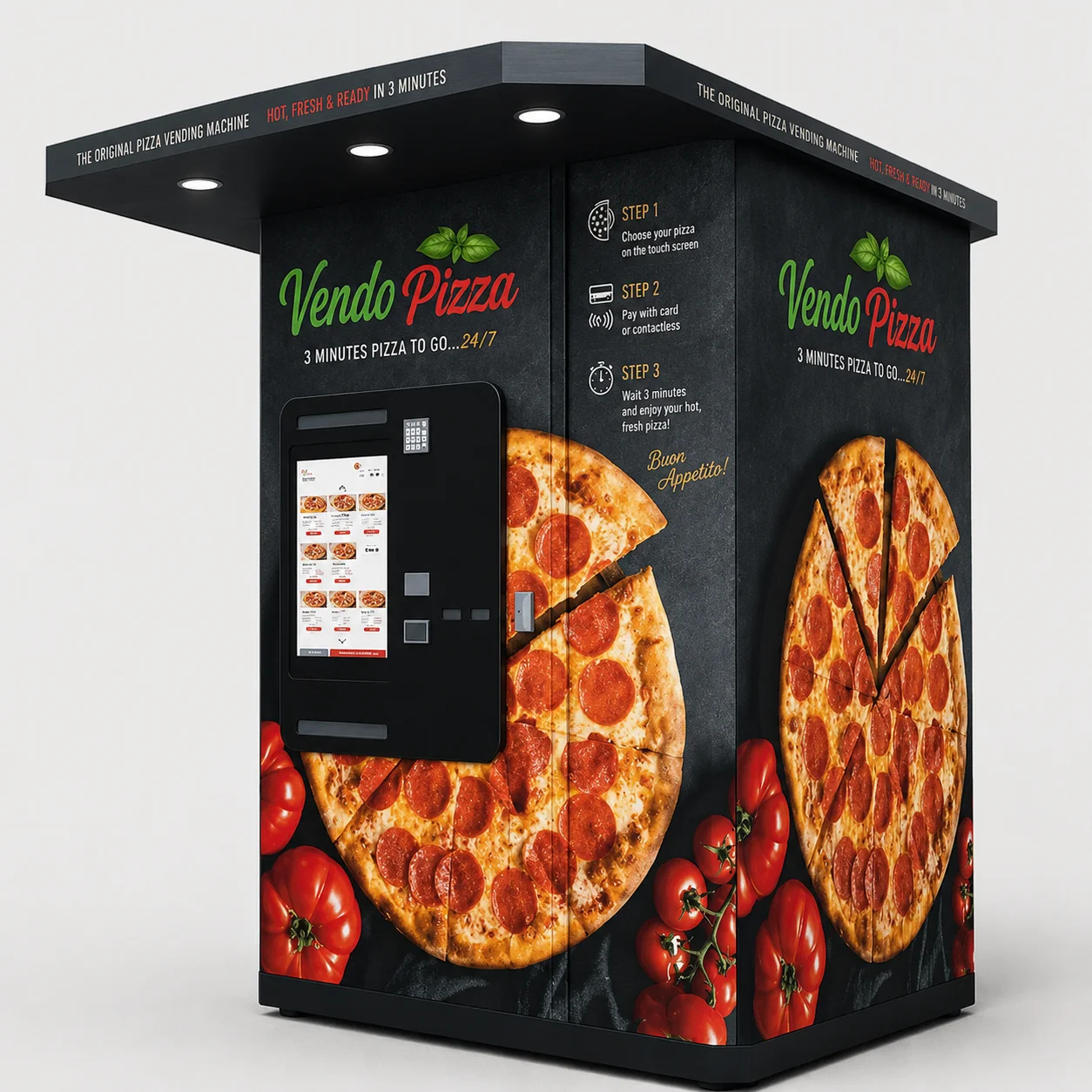
Connected Management for Stock-and-Bake Service
Frozen or chilled prepared-pizza systems can offer a more repeatable replenishment model. Smart features help operators see product movement, storage conditions, payments and service events across one or several locations.
- Prepared-pizza stock and sold-out visibility
- Storage-temperature alerts by configuration
- Remote sales, payment and fault reporting
- Packaging and bake profiles remain model-specific
Interactive planning tool
Build a Minimum Smart-Feature Brief
Select the operating situation to generate a practical starting brief. The result is guidance, not a technical specification or final quotation.
Describe the proposed operation
The system will identify the capabilities that should be discussed with the supplier.
Connected Single-Site Package
Prioritise reliable payments, essential alerts and clear ownership of the machine and software accounts.
- Cashless terminal approved for the destination market
- Transaction reporting and basic sales dashboard
- Low-stock, offline and machine-fault alerts
- Temperature monitoring for relevant storage zones
- Named administrator account and support escalation route
Different businesses need different controls
Where Smart Pizza Vending Creates Practical Value
The technology is most useful when the site, opening hours or number of locations make repeated manual checks expensive or unreliable.
Extend Service Beyond Normal Opening Hours
Connected reporting helps an existing operator compare automated sales with the wider food operation while controlling recipes, prices and stock responsibility.
Review business solutionsMonitor a Roadside Machine Without Constant Site Visits
Remote status, payments and alerts are valuable at sites operating late or serving drivers during charging and travel breaks.
Review roadside applicationsSupport Late Arrivals and Low-Staff Periods
Property teams can monitor availability and issues without placing the machine inside the same operating dashboard as the hotel’s core systems.
Review hotel applicationsServe Buildings With Long or Irregular Hours
Connected payments, availability and service alerts can support campuses and facilities where users need food outside traditional catering schedules.
Review university applicationsPlan Restocking Around Shift Demand
Sales by time period and low-stock alerts can help operators schedule replenishment around shift changes rather than relying on fixed assumptions.
Review workplace applicationsStandardise Oversight Across a Fleet
Shared dashboards, user roles, consistent alert rules and exportable records matter more as the number of machines and service partners increases.
Discuss a multi-site projectTurn data into operating decisions
What Should a Smart Pizza Vending Dashboard Show?
A dashboard is useful when each metric leads to a defined decision, owner or escalation step. More charts do not automatically create better management.
Demand evidence, not a promise
Use actual machine data to improve product mix, restocking and service decisions. Do not treat projected dashboard figures as evidence that a proposed location will generate a specific level of sales.
Review successful, declined, cancelled and refunded transactions to identify customer or terminal friction.
Track sold-out time, not only units sold. A popular product cannot sell while unavailable.
Use actual demand patterns to schedule replenishment, cleaning and service visits.
Review the event, duration, response and food decision rather than looking only at the current reading.
Measure how long the machine could not accept orders and why the issue was not resolved sooner.
Connect fault codes, parts, technician actions and recurring symptoms to support preventive maintenance.
Compare menu demand without assuming that one location’s preferences will apply to every site.
Identify missing periods caused by connectivity or integration problems before relying on the report.
Plan for real operating conditions
Connectivity, Offline Behaviour and Fail-Safe Operation
A connected machine must still have a defined response when a SIM, mobile network, Wi-Fi connection, payment service or cloud platform becomes unavailable.
| Topic | What to confirm | Why it matters |
|---|---|---|
| Primary connection | 4G/5G SIM, Wi-Fi, Ethernet or another supported method | The site must support the selected service reliably. |
| Backup connection | Whether a second network path is available or practical | A single weak signal can make a well-designed machine appear unreliable. |
| Payment offline mode | Whether transactions can be approved offline, under whose risk and within which limits | Offline payment behaviour is provider- and market-specific. |
| Food protection | What local controls continue when cloud connectivity is lost | Storage and safety logic should not depend entirely on an external dashboard. |
| Local logging | Whether data is stored locally and uploaded after reconnection | Missing data can distort sales and incident records. |
| Subscriptions | SIM, platform, payment, licence and support charges | The operating budget must include recurring connected-service costs. |
| Account ownership | Who controls the SIM, terminal, dashboard and administrator credentials | The buyer should not lose access when a reseller or employee changes. |
Connected equipment needs connected governance
Cybersecurity, Payment Security and Privacy in Europe
A smart machine can handle operational, account and payment-related data. Buyers should identify responsibilities before connecting the machine to a business network or giving several people dashboard access.
Unique Users and Roles
Avoid shared administrator passwords. Ask whether individual accounts, role-based permissions, multi-factor authentication and access revocation are supported.
Software Support Period
Confirm who supplies security updates, how they are installed, how long the product is supported and what happens to unsupported components.
Approved Payment Environment
Use an appropriate terminal and acquiring arrangement. Ask the payment provider how PCI responsibilities are divided between merchant, processor and service provider.
Data Minimisation
Collect only the personal data required for a defined purpose, limit access and retention, and document responsibilities for optional loyalty or marketing functions.
From concept to controlled operation
How to Implement a Smart Pizza Vending Project
Define the business workflow before choosing software features. The final technical package, quotation and sales documents should identify the exact machine and responsibilities.
Define the operating model
Confirm food format, capacity, location, opening hours, operator, replenishment plan and number of machines.
Specify the smart functions
List required payments, alerts, reports, remote changes, users, integrations and data exports.
Review site and connectivity
Check delivery access, footprint, power, ventilation, signal coverage, outdoor exposure, service clearance and security.
Verify the commercial package
Confirm machine price, software, terminal, subscriptions, delivery basis, installation, training, warranty and exclusions.
Configure accounts and roles
Create named users, administrator ownership, alert recipients, escalation contacts and access-revocation procedures.
Complete acceptance testing
Test orders, payments, refunds, alarms, temperature readings, offline response, remote reports and customer instructions.
Train the operating team
Cover food handling, restocking, cleaning, dashboard use, alert response, first-line troubleshooting and issue reporting.
Review real operating data
Use actual transactions and service records to improve stock, menus, visit schedules and maintenance decisions.
Budget the connected package
The Smart System Cost Is More Than the Screen
The final project budget may include hardware, payment equipment, connectivity, software subscriptions, branding, export packaging, delivery, installation, training and support. Some functions are standard; others are optional or provided by third parties.
Before signing the quotation
Smart Pizza Vending Machine Buyer Checklist
A serious quotation should make the machine, software, accounts, recurring fees and support relationship understandable before payment.
Manufacturer, model code, capacity, food workflow and indoor or outdoor configuration.
Identify which smart functions are included, optional, third-party or unavailable.
Terminal, acquirer, merchant account, currency, refunds, fees and settlement.
Primary network, fallback, SIM ownership, recurring charges and signal survey.
Administrator, user roles, account recovery and access when personnel change.
Ownership, retention, export formats, portability and access after contract termination.
Sensors, zones, frequency, thresholds, alerts, local controls and event records.
Which events trigger alerts, delivery channel, recipients, escalation and acknowledgement.
Distinguish monitoring, content updates, price changes, diagnostics and machine control.
Credentials, MFA, encryption, logs, updates, vulnerability handling and support period.
Electrical data, dimensions, weight, manuals, CE marking and EU Declaration of Conformity.
Test orders, payment, refund, fault, alert, offline, report and user-access scenarios.
Operator, food, cleaning, restocking, dashboard, troubleshooting and escalation training.
Coverage, exclusions, reporting, remote access, software, payment terminal and third-party parts.
Transactions, SIM, cloud access, software, content, support and future update charges.
What still works if a provider, subscription, network or integration is changed.
Authoritative background sources
Official and Industry Resources for Connected Vending
These sources support general procurement and operating questions. They do not replace the exact machine documentation, payment-provider terms or professional advice for a specific project.
Official guidance on conformity assessment, technical files, the EU Declaration of Conformity and manufacturer/importer responsibilities.
Read the CE-marking guidanceThe official text of Regulation (EC) No 852/2004, setting general food-hygiene principles and operator responsibilities.
Read Regulation (EC) No 852/2004Official information on unattended payments, transaction monitoring, inventory tools, remote price changes and management applications.
Review Nayax vending solutionsOfficial baseline standards and merchant resources for environments that store, process, transmit or can affect payment-card data.
Review PCI DSS informationOfficial GDPR guidance on implementing safeguards early, processing only necessary data and limiting access and retention.
Read privacy-by-design guidanceOfficial 2026 guidance on Cyber Resilience Act scope, support periods, remote data processing and implementation for products with digital elements.
Review the Cyber Resilience Act overviewBuyer questions
Smart Pizza Vending Machine FAQ
The answers are general. The selected machine, connected package, payment-provider agreement, technical sheet and accepted quotation control the final project.
What is a smart pizza vending machine?
It is an automated pizza vending machine with connected functions such as cashless payments, remote sales reporting, inventory visibility, temperature or machine-status alerts and cloud-based management. The exact functions vary by machine and software package.
Is every touchscreen pizza vending machine a smart machine?
No. A touchscreen may only provide local ordering. A smart configuration should be evaluated by its connected payment, monitoring, alert, data, remote-management and account-security capabilities.
Can a smart pizza vending machine be monitored from a phone?
Many connected packages provide a web dashboard or mobile application for sales, transaction, stock and machine-status information. Confirm which functions are genuinely available on mobile and whether a subscription is required.
Can prices and menus be changed remotely?
Some systems support remote price, product, language or content changes. Ask whether permissions, approval steps, audit logs and rollback are available, and distinguish remote content management from remote machine-control functions.
Do smart pizza vending machines support card and mobile payments?
They can be configured with supported unattended terminals for cards, contactless payments and compatible mobile wallets. The terminal, acquiring provider, merchant account, currency, transaction charges and destination-country approval must be confirmed before ordering.
What happens if the internet connection is lost?
The answer depends on the machine, payment terminal and software. Confirm whether local food-protection controls continue, whether transactions can be processed offline, whether data is stored for later upload and which customer functions become unavailable.
Can the machine send temperature alerts?
Temperature monitoring and alerts may be available for selected storage zones. Buyers should confirm sensor locations, recording frequency, thresholds, alert recipients and the local machine response to an abnormal condition.
Can smart monitoring replace food-safety procedures?
No. Connected readings can support oversight, but the operator remains responsible for food sourcing, temperatures, hygiene, allergens, cleaning, stock rotation, traceability and local food-business requirements.
Is a smart system useful for only one machine?
Yes. Payments, alerts and remote status can reduce uncertainty at a single site. Fleet-level functions become more important when several machines, locations or users need consistent management.
Who owns the machine data?
Ownership and access should be stated in the software or service agreement. Ask about retention, exports, administrator control, portability and what happens to the data if the subscription, reseller relationship or payment provider changes.
Does smart technology make a location profitable?
No technology guarantees sales, profit or payback. Smart functions can improve visibility and response, but commercial performance still depends on demand, placement, pricing, food cost, rent, stock availability, downtime and operating discipline.
How much does a smart pizza vending machine cost?
Price depends on the Fresh or Frozen workflow, capacity, indoor or outdoor configuration, payment equipment, connectivity, dashboard package, branding, delivery and installation. Review the European prices and project-cost guide and request a configuration-based quotation.
Which cybersecurity questions should a buyer ask?
Ask about unique accounts, multi-factor authentication, encryption, access roles, logs, security updates, support duration, vulnerability reporting, data hosting and account ownership. Connected access should be managed like any other business system.
How do I choose the right connected configuration?
Provide the food workflow, capacity, quantity, site type, indoor or outdoor environment, delivery country, power, connectivity and management needs. Vendo Pizza can then compare suitable Fresh and Frozen configurations and prepare a written quotation.
Need a Smart Pizza Vending Configuration for Your Business?
Share the delivery country, location type, food workflow, capacity, quantity, indoor or outdoor plan and remote-management requirements. Vendo Pizza will review suitable configurations and prepare a project-specific quotation.